 setlist
Use Setlist Matcher with iTunes or Music
Watch the video tutorialImport your DJ library
Make sure all files exist and that there is no missing media in your library.
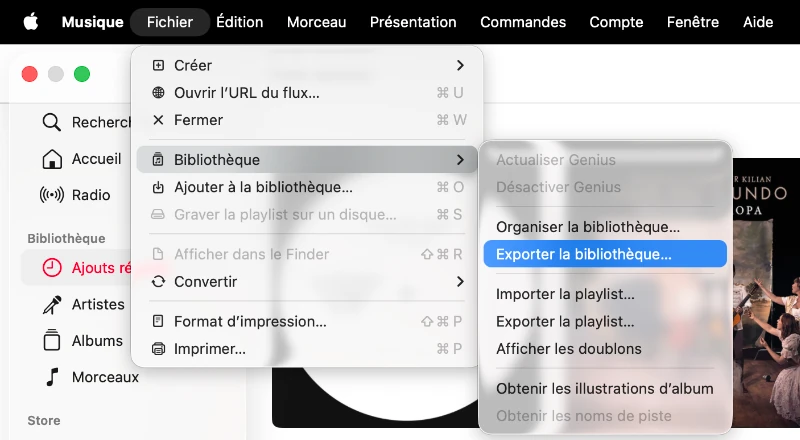
In Music (Mac) or iTunes (Windows), export your library.
Import the .xml file into Setlist Matcher as your DJ library.
Import your playlist
Export your playlist as .m3u8 from Setlist Matcher.
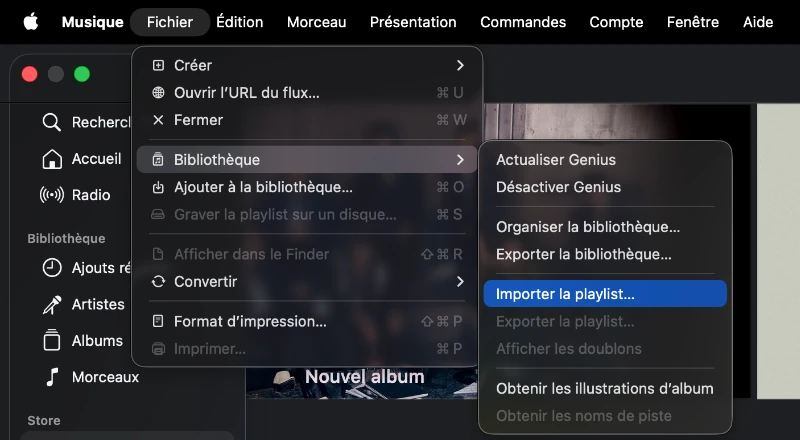
In Music or iTunes:
select the .m3u8 file.
Keep your local audio files accessible at the same paths, with any external drive connected.